
How to Rank Your Business on Google Maps in Kenya – Complete Guide
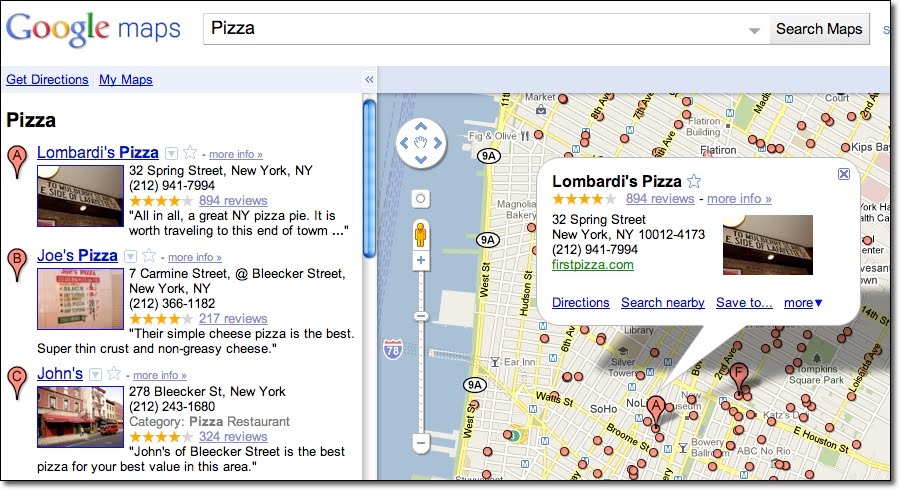
When someone in Nairobi searches for "plumber near me" or "best salon in Westlands", Google shows a map with three local businesses at the top. That's the Google Maps 3-pack, and getting your business there can bring you dozens of new customers every week.
In this guide, you'll learn exactly how to optimise your Google Business Profile (formerly Google My Business) and improve your local rankings in Kenya.
Why Google Maps Ranking Matters for Kenyan Businesses
Over 80% of local searches on mobile result in a visit or purchase within 24 hours. If your business isn't showing up on Google Maps, you're missing out on customers who are actively looking for what you offer.
Ranking well on Google Maps also builds trust – a complete profile with reviews and photos signals that you're a legitimate, established business.
How Google Maps Rankings Work
Google uses three main factors to decide which businesses appear in the local pack:
- Relevance: How well your profile matches what the user is searching for (e.g., category, keywords).
- Distance: How far your business is from the location of the search (or the location specified).
- Prominence: How well‑known your business is – based on reviews, links, and online mentions.
Step 1: Claim and Verify Your Google Business Profile
If you haven't already, go to Google Business Profile and claim your listing. You'll need to verify your business – usually by postcard, phone, or email. This is essential; Google won't show unverified businesses in Maps.
Step 2: Optimise Your Profile Completely
An incomplete profile gets fewer views and lower rankings. Fill out every section:
- Business name: Use your real business name – don't add keywords unnecessarily.
- Categories: Choose the most accurate primary category (e.g., "Plumber" not "Handyman"). Add secondary categories too.
- Address: Be precise. If you serve customers at their location but don't have a storefront, select "Service area business" and hide your address.
- Phone number & website: Use a local Kenyan number. Link to your website – we can help you with professional website design if you don't have one.
- Hours: Set accurate opening hours, and update them for holidays.
- Attributes: Add attributes like "Free Wi‑Fi", "Outdoor seating", etc., if applicable.
- Description: Write a compelling description (750 characters max) including your main keywords naturally. Example: "We are a family‑run restaurant in Nairobi serving authentic Kenyan cuisine since 2010."
- Photos & videos: Upload high‑quality photos of your storefront, team, products, and work. Businesses with photos get 42% more requests for directions and 35% more click‑throughs to websites.
Step 3: Get More Positive Reviews
Reviews are one of the strongest ranking factors. They also influence customer decisions.
- Ask every happy customer to leave a review. You can send them a direct link:
https://g.page/yourbusiness/review. - Respond to all reviews – thank positive reviewers, and politely address negative ones.
- Never buy fake reviews; Google can detect and penalise them.
Step 4: Build Local Citations
A citation is any online mention of your business name, address, and phone number (NAP). Consistent NAP across the web helps Google trust your information.
Get listed on Kenyan business directories such as:
- Yellow Pages Kenya
- BusinessList.co.ke
- Kenya Business Directory
- Local chamber of commerce websites
Make sure your NAP is exactly the same everywhere.
Step 5: Build Local Links
Links from other local websites (e.g., local news sites, bloggers, suppliers) signal to Google that your business is part of the community. You can get links by sponsoring local events, partnering with other businesses, or writing guest posts for local blogs.
Step 6: Post Regularly on Your Profile
Google allows you to post updates, offers, and events directly on your Business Profile. Active profiles tend to rank higher. Post at least once a week – share news, promotions, or helpful tips.
Step 7: Track Your Rankings
Use tools like Local Viking or BrightLocal to monitor where you appear for key search terms. You can also simply do incognito searches on Google Maps for your main keywords.
Common Mistakes to Avoid
- Using a P.O. Box as your address (not allowed).
- Creating multiple profiles for the same business (this can get you suspended).
- Ignoring negative reviews – always respond professionally.
- Not updating your hours, especially during public holidays.
Need Help with Local SEO?
Ranking on Google Maps is just one part of local SEO. If you want a comprehensive strategy – including website optimisation, keyword research, and link building – we offer professional SEO services tailored for Kenyan businesses.
💡 Pro tip: Combine your Google Maps presence with a fast, mobile‑friendly website. A great profile drives traffic, but a great website converts visitors into customers. Check out our website design packages.
Conclusion
Ranking on Google Maps isn't magic – it's about having a complete, accurate profile, earning reviews, and building local authority. Follow the steps above, and you'll see your business climb the local pack.
If you'd like us to handle your local SEO or set up your Google Business Profile for you, just contact us. We're here to help Kenyan businesses grow.
Written by Website Designers Kenya
We help Kenyan businesses get found online – through beautiful websites and smart local SEO. Need help with your Google Maps ranking? Just ask.
Chat with us on WhatsApp